


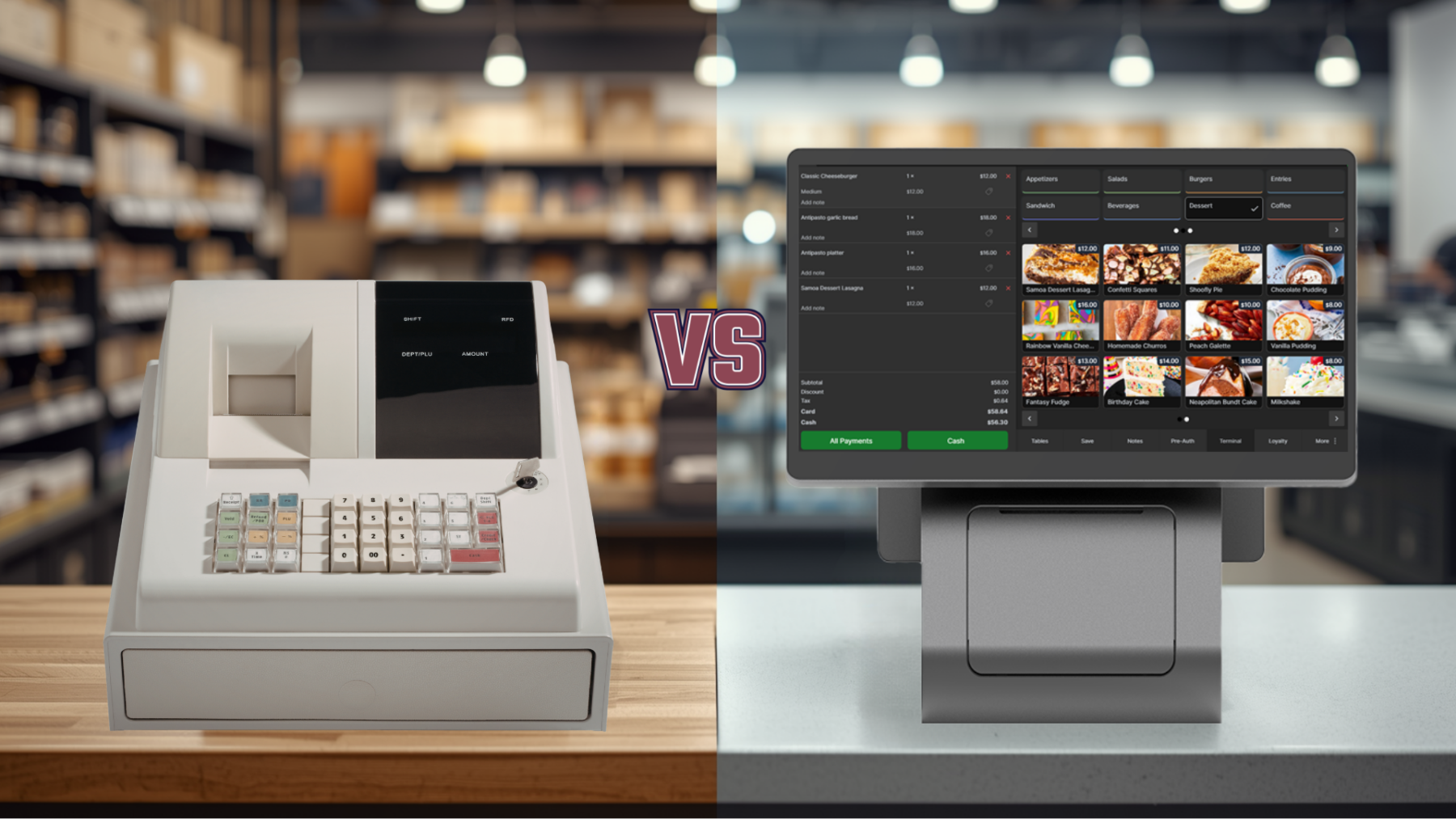
A cash register is used by many businesses across the globe. It sits on the counter, rings up sales, opens the drawer, and prints receipts. For many small businesses, that may feel good enough.
But here is the problem. A cash register only records a sale. It does not help prevent missed sales, inventory mistakes, theft, weak customer retention, or poor reporting.
Based on our latest survey, we found that small businesses still relying on a basic cash register instead of a cloud-based POS can lose up to 40% in revenue opportunities.
That does not always mean 40% is stolen or missing from the drawer. It means the business may be losing potential revenue through avoidable mistakes.
In other words, the cash register may still work, but it may not be helping the business protect and grow revenue.
Here is how that 40% loss can happen.
1. Human Error Can Cost 3% to 6%
People make mistakes. That is normal.
The problem is that a basic cash register leaves too much room for those mistakes.
A cashier may enter the wrong price. A server may forget to charge for extra toppings. A retail employee may apply the wrong discount. A refund may be handled the wrong way. A taxable item may be entered under the wrong category.
In a restaurant, human error can be even more expensive. A handwritten order may be hard to read. The kitchen may make the wrong item. The order may need to be remade. Food gets wasted. The customer waits longer. Sometimes the business gives a discount just to fix the experience.
These mistakes may feel small in the moment, but they add up fast.
For example, if a business does $30,000 per month in sales and loses only 5% from small mistakes, that is $1,500 per month.
That is $18,000 per year!
A cloud-based POS helps reduce these errors by storing prices, taxes, discounts, menu items, modifiers, and order notes in one system. Staff do not have to remember every price or calculate every special request manually.
The system helps guide the sale, which means fewer errors and more money staying in the business.
2. Theft and Unauthorized Discounts Can Cost 2% to 5%
Theft is not always obvious.
It does not always look like someone taking cash from the drawer. Sometimes it is smaller and harder to notice.
A cash sale may not be entered. A drawer may be opened without a transaction. A discount may be given to a friend. A refund may be processed without approval. An item may be voided after the customer paid. A product may be given away without being tracked.
With a basic cash register, it can be hard to know what really happened.
Who opened the cash drawer? Who gave the discount? Who voided the item? Who handled the refund? Who was logged in during the transaction?
A point of sale software creates a clearer record. It can track employee logins, discounts entered, drawer openings, and sales activity.
This is not only about catching theft. It is also about accountability.
Sometimes the issue is not theft at all. It may be a training problem or an honest mistake. But without tracking, it is hard to know the difference.
For example, on $30,000 in monthly sales, a 4% loss from theft, misuse, unauthorized discounts, or poor tracking equals $1,200 per month.
That is $14,400 per year.
A POS gives small businesses better visibility, and better visibility helps protect revenue.
3. Missed Add-Ons Can Cost 5% to 10%
This is one of the biggest hidden losses.
A cash register does not help staff sell more. It simply waits for someone to enter the sale.
That means add-ons are easy to miss.
In a restaurant, this could be fries, drinks, sauces, toppings, desserts, premium sides, or combo upgrades.
In a cafe, this could be oat milk, extra espresso, flavor shots, pastries, or breakfast items.
In retail, this could be accessories, gift bags, batteries, warranties, bundles, or related products.
These may sound like small items, but small add-ons can make a big difference.
For example, if the average sale is $20 and a POS helps increase it to $22, that is a 10% increase.
At $30,000 in monthly sales, that could mean another $3,000 per month.
A cloud-based POS can make add-ons part of the checkout flow. When staff select an item, the system can show modifiers, upgrades, bundles, or related items.
Instead of relying on memory, the POS helps staff offer more consistently.
That can raise the average ticket without needing more foot traffic.
4. Inventory Problems Can Cost 4% to 8%
Inventory problems are silent revenue killers.
A restaurant may run out of chicken during dinner. A cafe may run out of oat milk during the morning rush. A retail shop may run out of the best-selling size before the weekend. A convenience store may keep reordering slow items while popular products disappear from the shelf.
Every out-of-stock item can mean a lost sale.
And sometimes it means more than one lost sale.
If a customer comes in for something specific and it is not available, they may go somewhere else. If it happens more than once, they may stop coming back.
Too much inventory also hurts. It ties up cash in products that do not move. For restaurants, it can also create food waste.
A smart POS system can update inventory as items sell. It can show low stock, best sellers, slow movers, and sales trends.
That makes it easier to reorder the right products at the right time.
For example, if a business loses 6% of potential sales because the right items are not available, that is $1,800 per month on $30,000 in sales.
That is $21,600 per year.
Better inventory control means fewer missed sales, less waste, and smarter purchasing.
5. Slow Checkout Can Cost 3% to 6%
Customers do not like waiting.
They may wait a few minutes, but if the line is too long, some leave. Others stay, but may not come back as often.
This matters in cafes, quick-service restaurants, food trucks, retail shops, bakeries, and convenience stores.
A cash register can slow things down when staff manually enter prices, write tickets, calculate discounts, search for buttons, or use a separate payment device.
A cloud-based POS helps speed up checkout.
Items are already in the system. Prices are correct. Taxes are calculated. Discounts can be applied properly. Payments can be connected. Receipts can be printed, emailed, or texted.
Even saving 30 seconds per transaction matters.
At 100 transactions per day, that saves about 50 minutes daily.
That is almost an hour each day that can be used to serve customers, prepare orders, restock shelves, clean, or simply keep the line moving.
Slow checkout does not only waste time. It can cost sales during the busiest hours of the day.
For example, if long lines cause only 6 customers per day to leave and each would have spent $20, that is $120 per day in lost revenue.
Over 25 business days, that is $3,000 per month.
6. Manual Restaurant Orders Can Cost 3% to 6%
Restaurants that still take orders manually can lose money in several ways.
A server writes too quickly. The kitchen cannot read the ticket. A modifier is missed. A drink is forgotten. A side is not added. A special instruction is misunderstood.
Now the order is wrong.
That may mean wasted food, a remake, a delayed table, an upset customer, or a discount to make things right.
During a rush, one wrong order can slow down the whole kitchen.
A cloud-based POS can send orders directly to the kitchen with clear item names, modifiers, notes, and order types.
For example, instead of a handwritten note that may be hard to read, the kitchen sees clear instructions like: burger, no onion, add bacon. Latte, oat milk, extra shot. Chicken wrap, sauce on the side.
Clear orders help reduce mistakes.
Fewer mistakes mean less waste, faster service, and a better customer experience.
That protects revenue today and helps bring customers back tomorrow.
7. No Loyalty Program Can Cost 4% to 8%
With a cash register, the sale usually ends when the customer pays.
The customer walks in, buys something, pays, and leaves.
There is usually no customer profile, no purchase history, no loyalty program, no birthday reward, and no easy way to invite the customer back.
That is a missed opportunity.
Repeat customers are one of the best ways for small businesses to grow revenue.
A cloud-based POS can help small businesses create loyalty rewards, customer profiles, discounts, and promotions.
A coffee shop can offer buy 9 coffees, get the 10th free. A restaurant can send a lunch offer to past customers. A retail shop can reward VIP customers. A salon can remind customers to book again. A bakery can promote weekend specials.
Even a simple loyalty program can make a difference.
For example, if 150 customers return one extra time per month and spend $20, that is $3,000 in additional monthly revenue.
On a business doing $30,000 per month, that is equal to 10% of monthly sales.
A basic cash register usually does not help create that kind of repeat business.
8. Weak Reporting Can Cost 2% to 5%
A cash register may show basic totals, but basic totals are not enough to make smart decisions.
Small businesses need to know more than how much money came in.
They need to know what sold best, what sold least, what time was busiest, which discounts were used, which employee processed sales, what inventory is running low, what products should be removed, and what items should be promoted.
Without clear reporting, decisions are based on memory and guessing.
Guessing can be expensive.
A restaurant may think one menu item is popular, but the report may show it sells often and has weak profit. A retail shop may keep ordering a product that looks busy on the shelf but barely sells. A cafe may staff too many people during slow hours and too few during rush hours.
A cloud-based POS gives reports that help small businesses make better decisions about products, pricing, staffing, promotions, and inventory.
Better POS reports help show where the money is coming from and where it may be leaking.
9. End-of-Day Closing Can Cost Time and Accuracy
Closing should not feel like solving a mystery.
But with a basic cash register, it often does.
Someone counts the drawer. Someone reviews receipts. Someone checks card totals. Someone writes numbers down. Someone updates a spreadsheet. Someone tries to figure out why the drawer is short.
After a long day, tired people make mistakes.
A cloud-based POS can simplify closing because sales, refunds, discounts, taxes, payments, and employee activity are already tracked.
Reports are easier to review. Cash drawer activity is clearer. Payment totals are easier to match.
This saves time and reduces confusion.
For example, if closing takes 30 extra minutes every night, that is 15 hours per month for a business open 30 days.
That time could be used for planning, training, marketing, operations, or simply getting home earlier.
Time is money too.
10. A Cash Register Cannot Support Modern Customer Expectations
Customers have changed.
They expect fast checkout, card payments, contactless payments, digital receipts, online ordering, loyalty rewards, accurate orders, and flexible service.
A basic cash register was not designed for that.
For restaurants, this can mean missing out on online orders, QR ordering, takeout improvements, and better kitchen communication.
For retail, it can mean slower checkout, weaker inventory tracking, fewer customer insights, and limited promotions.
For local service businesses, it can mean less customer history, fewer follow-ups, and harder reporting.
A cloud-based POS helps small businesses offer a better customer experience.
It can support payments, receipts, inventory, customer profiles, loyalty, discounts, online ordering, employee permissions, and reporting.
The goal is not to make the business complicated.
The goal is to make it easier to run and easier for customers to buy.
How the 40% Loss Can Add Up
Here is a simple example for a business doing $30,000 per month in sales.
– Human error at 5% can equal $1,500 per month.
– Theft or unauthorized discounts at 4% can equal $1,200 per month.
– Missed add-ons at 8% can equal $2,400 per month.
– Inventory problems at 6% can equal $1,800 per month.
– Slow checkout and lost customers at 5% can equal $1,500 per month.
– Manual restaurant order mistakes at 4% can equal $1,200 per month.
– Weak loyalty and missed repeat sales at 6% can equal $1,800 per month.
– Weak reporting and poor decisions at 2% can equal $600 per month.
Together, that can equal 40% in lost revenue opportunities.
On $30,000 in monthly sales, that is $12,000 per month.
That is $144,000 per year.
The exact number will be different for every business. Some may lose less. Some may lose more. A restaurant with handwritten orders may lose more from order mistakes and waste. A retail shop may lose more from inventory issues, theft, or missed add-ons. A cafe may lose more from slow lines and repeat customers who never get invited back.
The point is simple.
A cash register may look cheap, but the hidden cost can be expensive.
A Simple Way to Think About the 40%
The 40% number is not usually one single problem.
It is a combination of small revenue leaks.
A few percent from pricing mistakes.
A few percent from theft or unauthorized discounts.
A few percent from missed add-ons.
A few percent from out-of-stock items.
A few percent from slow checkout.
A few percent from wrong restaurant orders.
A few percent from customers who never come back.
When these issues happen together, the impact can be large.
That is why the real cost of a cash register is not only the price of the machine.
The real cost is the revenue the business may never see.
Final Thoughts
A cash register helps complete a transaction.
A cloud-based POS helps manage the business.
That difference can mean fewer mistakes, faster service, better inventory, stronger employee tracking, more repeat customers, higher average tickets, and better decisions.
So the real question is not, does the cash register still work?
It probably does.
The better question is, how much revenue is being lost because the cash register cannot help control what happens before, during, and after the sale?
Based on our latest survey, for some small businesses, the answer can be up to 40% in lost revenue opportunities.
And that is money worth protecting.