


This guide explains how free POS dual pricing can help eliminate card fees, protect your margins, and boost profit with eHopper POS processing.
Managing the budget is just as important as growing sales. You can chase new customers, launch ads, and expand your menu or product line, but if money is quietly leaking out in fees every month, your bottom line will always feel tight.
Many business operators focus first on top line growth. More orders, more tickets, more services. That part is exciting. The less exciting part is going through the expense side and finding places to optimize. Yet that is often where the cleanest profit is hiding.
One of the most reliable ways to improve your margins is to look at your payment processing costs and ask a simple question. Why am I paying to get paid?
That is where free processing programs come in. These programs are designed to shift the cost of accepting cards away from your business and back to the customers who choose to pay with credit or debit.
There are a few ways to do this, and one of the most effective and transparent is called dual pricing.
In this post, we will briefly walk through the main models, then focus on what dual pricing is and how to set it up with eHopper for free.
Free Processing Programs In Plain Language
When people say free processing, they usually do not mean that Visa, Mastercard, and the banks stopped charging fees. Those fees still exist. What changes is who covers them.
Traditional processing models work like this:
- You pay 2.5 to 4.0 percent of every card sale in fees.
- Your customer pays the sticker price.
- The processor and card networks take their share from you.
Free processing programs flip that. They adjust your pricing so the customer who chooses to use a card covers the fee instead of your business.
There are three common approaches:
- Surcharge programs
- Cash discount programs
- Dual pricing programs
All three aim to protect your bottom line. They just present the price differently to the customer.
Surcharge, Cash Discount, And Dual Pricing
Surcharge Programs
With a surcharge program, you keep your menu or shelf prices the same, then add a small percentage fee on top if the customer pays with a credit card. For example, a 3 percent surcharge on a 50 dollar ticket adds 1.50 to the total.
You collect 50 dollars, and the extra 1.50 goes toward your processing cost.
This can work, but it has two issues:
- Surcharging is not allowed in every state.
- Some customers feel like they are being penalized when they see an extra fee at checkout.
You also have to follow strict rules from the card networks and show specific wording on receipts and signs.
Cash Discount Programs
Cash discount programs approach the problem from the other direction. You post a price that assumes the customer is paying by card, then offer a discount if they pay with cash.
For example:
- Posted price: 10.40 dollars
- Cash price at checkout: 10.00 dollars
Here, the card price is built into the posted price and cash payers get a small discount.
Customers usually react better to a discount than to a fee. However, fewer people carry cash, and if the program is not set up correctly, it can look and feel like a hidden surcharge, which brings you back into a gray area.
Dual Pricing Programs
Dual pricing keeps everything out in the open. Instead of adding a fee or revealing a discount at the end, you show both prices up front.
- Coffee: 2.00 cash, 2.08 card
- Lunch combo: 12.00 cash, 12.48 card
The customer sees both options when they order and pay.
If they pay cash, they get the lower price. If they use a card, they pay the card price, which includes your processing cost.
This is legal in all 50 states when presented correctly, and it feels familiar.
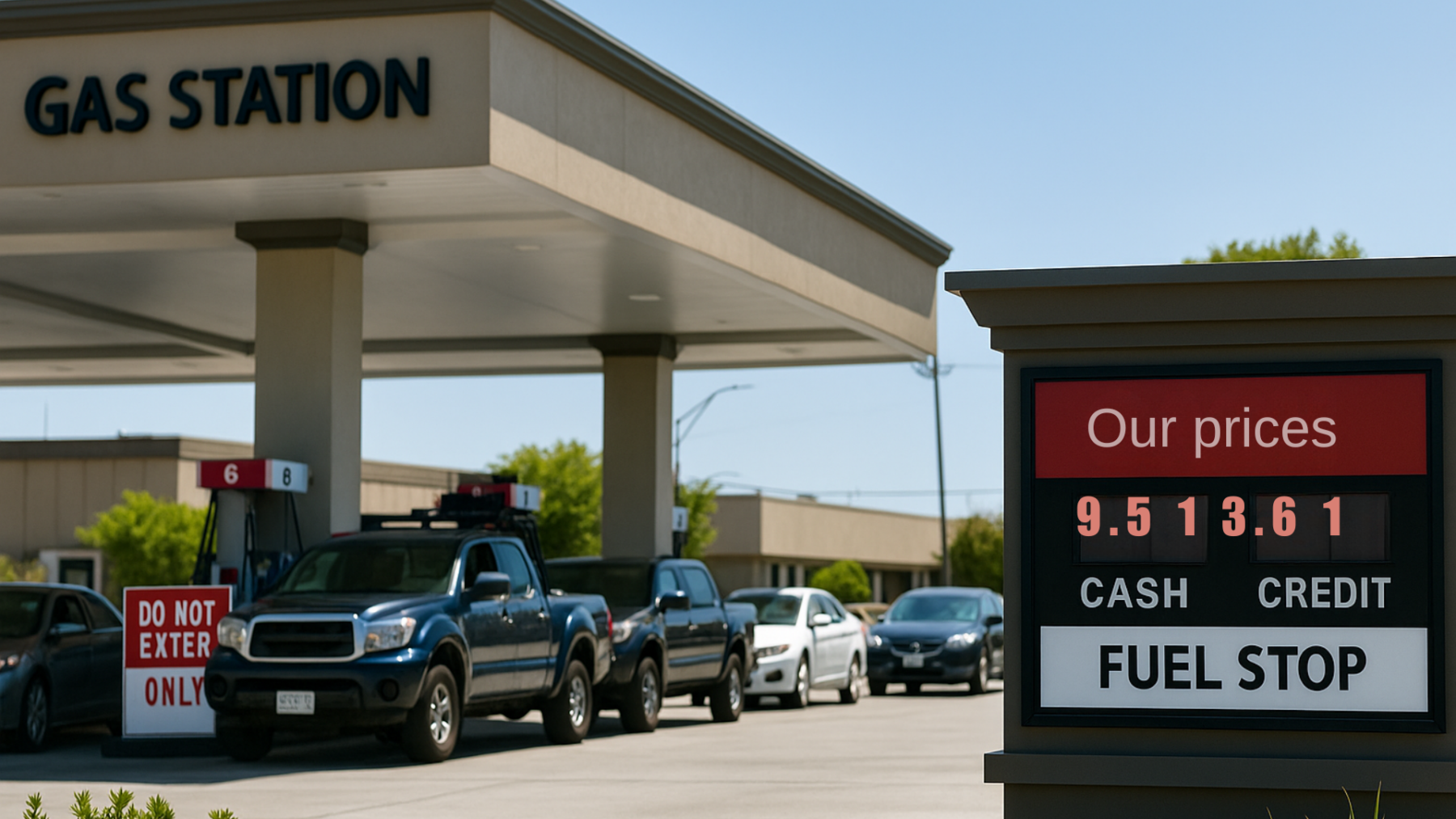
Gas stations have been using this exact approach for years with cash and credit prices on the sign.
Why Dual Pricing Is So Powerful For Your Bottom Line
From a budget and growth perspective, dual pricing has a few key advantages.
1. It Protects Your Margin
If you are paying 3.5 percent on 40,000 dollars in monthly card sales, that is 1,400 dollars out the door every month, or 16,800 dollars per year. With dual pricing, that 3.5 percent is built into the card price. Your business keeps its full base price on every sale.
2. It Is Transparent For Customers
There is no surprise fee at the end and no small print. Customers see both prices on the menu, receipt, or screen, and they choose how to pay.
3. It Is Easy To Manage With The Right POS
Modern systems like eHopper can automatically calculate the cash and card price, show them on screen, print them on receipts, and record everything for reporting.
4. It Supports Growth
When you stop sending thousands per year to processing companies, you can redirect that money into marketing, better staff, or expansion. Dual pricing helps you strengthen your budget without cutting service or quality.
How Dual Pricing Works In A Real Transaction
Imagine you run a small cafe. A customer orders:
- Latte: 4.00 cash, 4.16 card
- Sandwich: 8.00 cash, 8.32 card
The POS displays both prices. The customer taps a card. The system automatically uses the card prices:
- Subtotal: 12.48
- Tax: calculated on the correct base
- Total: shown clearly on the receipt
On your side, your profit on that order is based on the 12.00 cash base, not reduced by fees. The extra 0.48 covers the processing cost.
Multiply this by hundreds or thousands of transactions per month, and the impact on your budget becomes very real.
Now Let Us Focus On How To Set Up Dual Pricing With eHopper For Free
Dual pricing only works well if the setup is clean, compliant, and simple for your staff. This is where eHopper comes in.
eHopper offers a free processing program for qualified merchants that includes POS software, a dual pricing engine, and even an online ordering site, with no software fee when you meet a monthly processing threshold.
Here is how to set it up step by step.
Step 1: Decide On Your Goal And Fit
Before you change anything, be clear on what you want:
- Do you want to reduce or eliminate card fees entirely?
- Are most of your customers paying by card already?
- Are you comfortable showing two prices side by side?
If you answer yes, dual pricing through eHopper is a strong fit. It is especially powerful for:
- Quick service restaurants and cafes
- Food trucks and mobile vendors
- Small grocery or convenience stores
- Salons, barbers, and service businesses
- Vape and tobacco
- Many more…
Step 2: Connect With eHopper And Enroll In The Free Processing Program
Go to the eHopper site and schedule a free processing demo or request a call. In that call, you can
For merchants processing at or above the required monthly volume, eHopper can:
- Waive the POS software fee
- Set you up with dual pricing
- Bundle in a free or low cost terminal or POS device, depending on the offer
This is where the budget impact starts. You are not only moving to dual pricing, you are also cutting or removing software subscription costs.
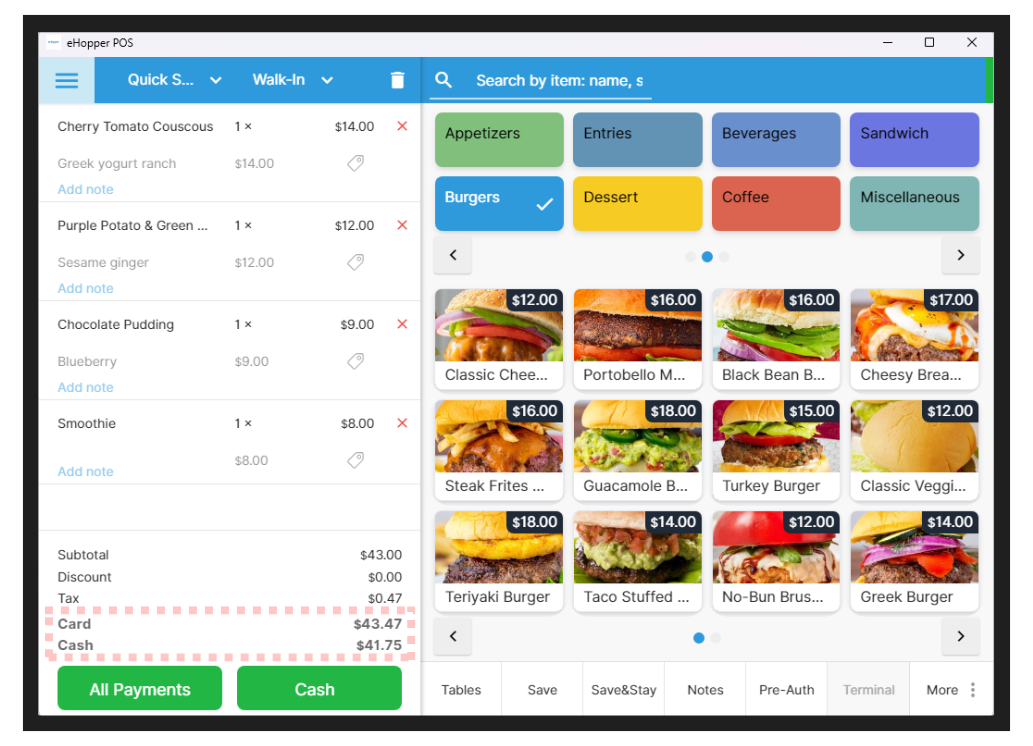
Screenshot of eHopper POS showing dual pricing with card and cash totals:

Step 3: Choose Your Hardware And Setup
With eHopper, you can run dual pricing on:
Pick what matches your operation. For example:
- A food truck might run one compact smart terminal.
- A full service restaurant might use a station at the counter plus a few handheld devices for servers.
eHopper will help you connect hardware to the processing account that supports dual pricing.
Step 4: Configure Pricing Inside The POS
Once your merchant account and POS are connected, the dual pricing logic is set up in the software.
You will:
- Enter or import your base cash prices.
- Set your card uplift percentage, for example 3.5 or 4.0 percent.
- Confirm how taxes are calculated so both prices stay accurate.
The system will then:
- Calculate the cash and card price for automatically.
- Show the correct price based on how the customer pays.
- Record both prices for reporting and print receipts.
You do not have to touch each ticket or do any manual math.
Step 5: Update Menus, Labels, And Online Ordering
To keep everything clear:
- If you have digital menus, configure them to show both prices.
- If you use printed menus or shelf labels, update them with a simple format such as Burger 9.00 cash, 9.32 card.
The goal is that customers always see two prices before they commit to pay.
Step 6: Track Your Savings And Adjust
After your dual pricing program is live for a month or two, compare:
- Previous processing fees vs current fees
- Profit margin before and after
- Any shift in cash vs card payments
Some owners are surprised by how big the impact is.
For example, if you were paying 1,000 dollars a month in processing and 150 dollars a month for POS software, and dual pricing with eHopper removes both, you just freed up 13,800 dollars per year!
You can decide whether to:
- Invest more in marketing
- Add staff on busy shifts
- Upgrade equipment
- Or simply keep more of your profit
Closing Thoughts And Next Step
Managing your budget is not just about cutting costs at random. It is about protecting your bottom line so you can grow with confidence. Dual pricing is a smart, structured way to do exactly that.
You stop paying for card fees from your own pocket. You keep your base prices stable. You stay transparent with customers. And with eHopper, you can set all of this up with no POS software fee when you qualify for the free processing program.
If you want to see what this would look like for your business, the next step is simple:
- Gather your latest processing statement.
- Schedule a quick demo with eHopper.
- Ask them to show you your potential savings with dual pricing and free processing.
- Estimate your savings via the merchant processing fee calculator
A short conversation and a clean setup can turn a recurring expense into a long term gain for your business. To schedule a demo and take advantage of a latest offer, visit the free POS offer page and start saving!