

Learn more about using service charges with eHopper POS.
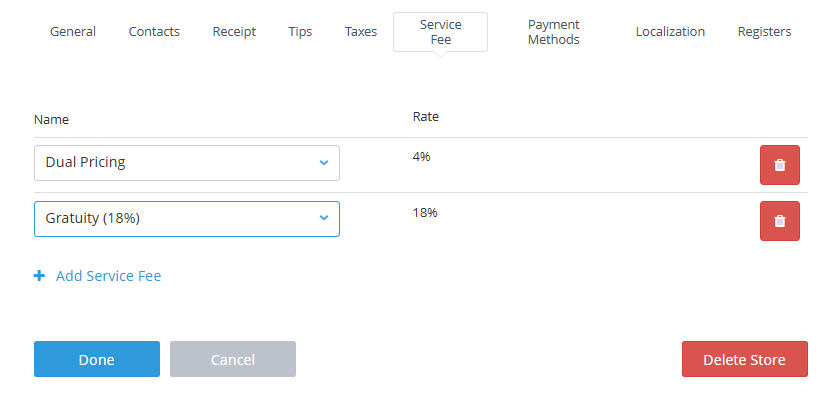
Service Charges Program Overview
The Service Charges program allows businesses to automatically apply additional fees to orders, such as mandatory gratuity or service fees, directly at the point of sale.
- Service charges can be configured as either a flat dollar amount or a percentage of the order pre discount or post discount total.
- Once applied, the charge is automatically added to eligible transactions and displayed clearly on receipts and reports.
- The service charges program is not intended to support card surcharging. Use surcharges feature instead.
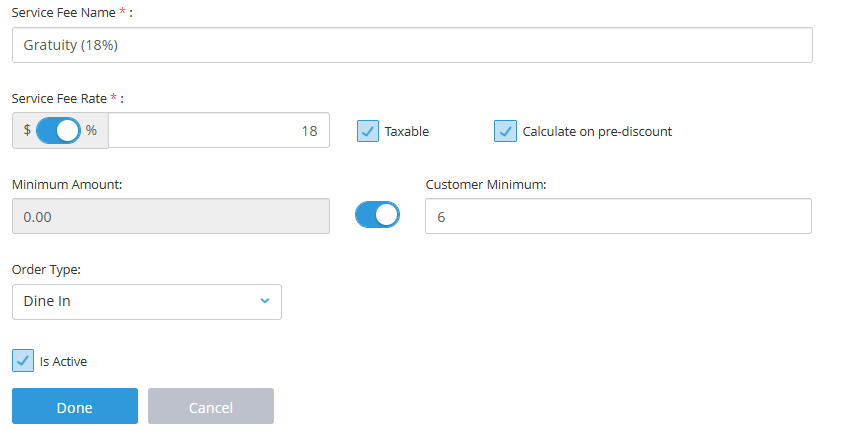
Set Up Service Fees
Set up service fees in the eHopper POS back office and maximize flexibility by customizing them to suit your needs.
Create separate service fee per store.
- Input a service fee name and rate of your choice.
- Choose whether the rate will be a flat fee or percentage.
- Set conditions such as order type or minimum customer count.
- Decide if the service fee applies before discounts and if it is taxable.
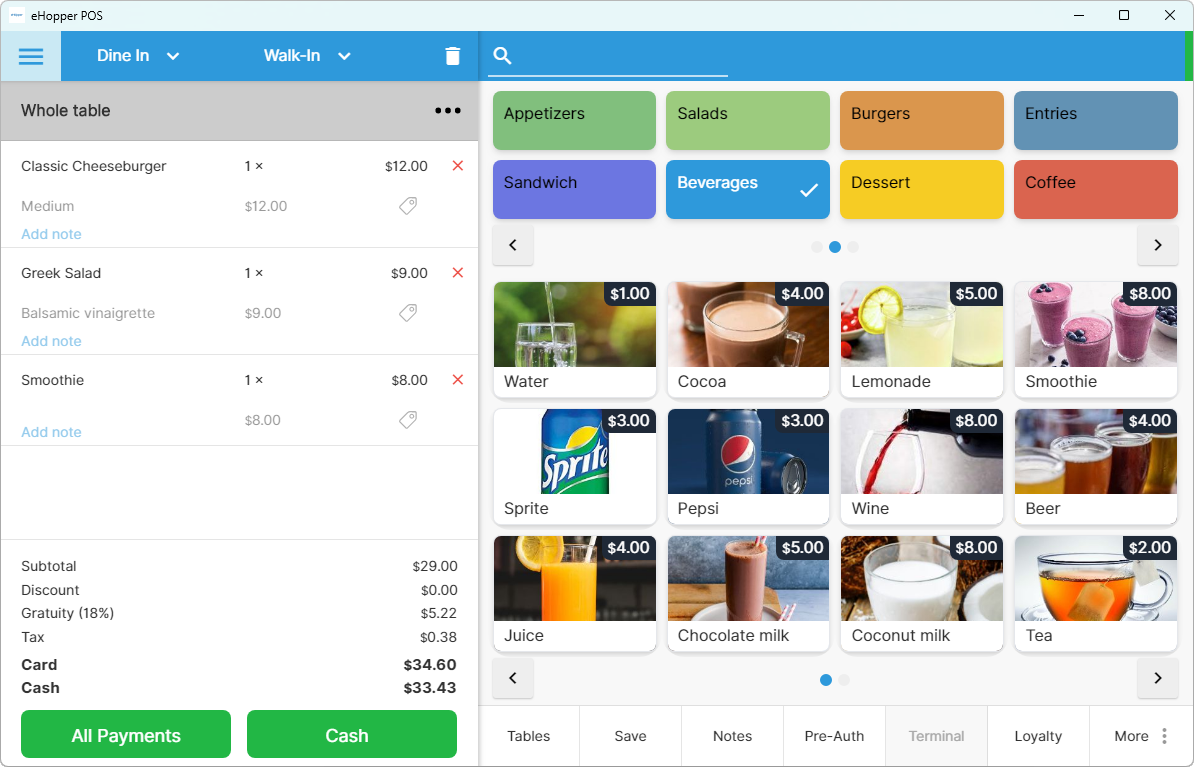
Apply Services Charges on POS
Reduce manual work by letting eHopper POS automatically apply service fees during checkout based on your settings.
- Service fees applied automatically at checkout based on your configuration
- Service fees applied by order type, example dine-in or delivery
- The printed or emailed receipt will display the service charges if the fee was added to the order.
Still have questions?
Call 212–651–8911