
eHopper
  • Free POS
  • Free Processing
  • eCommerce
    • eCommerce
    • Online Ordering for Restaurants
  • Features
    • All Features
    • Point of Sale
    • Self Service Kiosk
    • Kitchen Display System
    • Orders
    • Inventory
    • Customers
    • Employees
    • Taxes
    • Surcharges
    • Reporting
    • Digital Signage
  • Pricing
  • Hardware
    • Buy Hardware
    • Landi ECR Terminal
    • All in One POS
    • Windows
    • Android
    • Pax Terminals
    • Valor POS Terminal
  • Support
    • Submit Ticket
    • Virtual Assistant
    • Knowledge Base
    • Getting Started
    • Video Support
    • Contact Us
  • Blog
  • Get Started FREE
  • Menu
  • 0Shopping Cart
You are here: Home / Shop / POS Apps / Store Transfer App
store transfer
transfer-storeStore Transfer ReportStore Transfer DetailsStore Transfer Appmove product between stores

Store Transfer App

Category: POS Apps
  • Description

Description

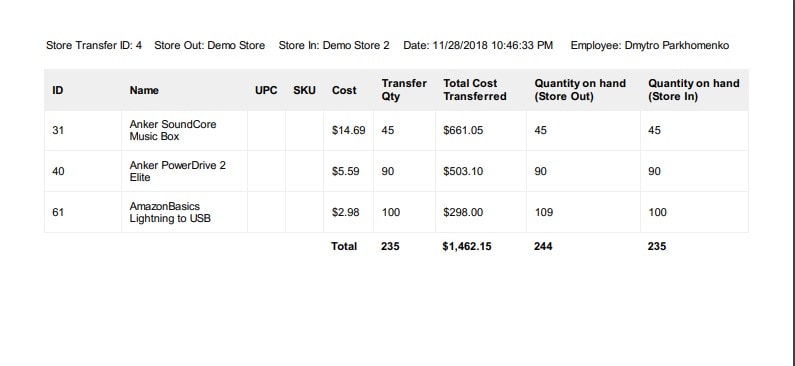
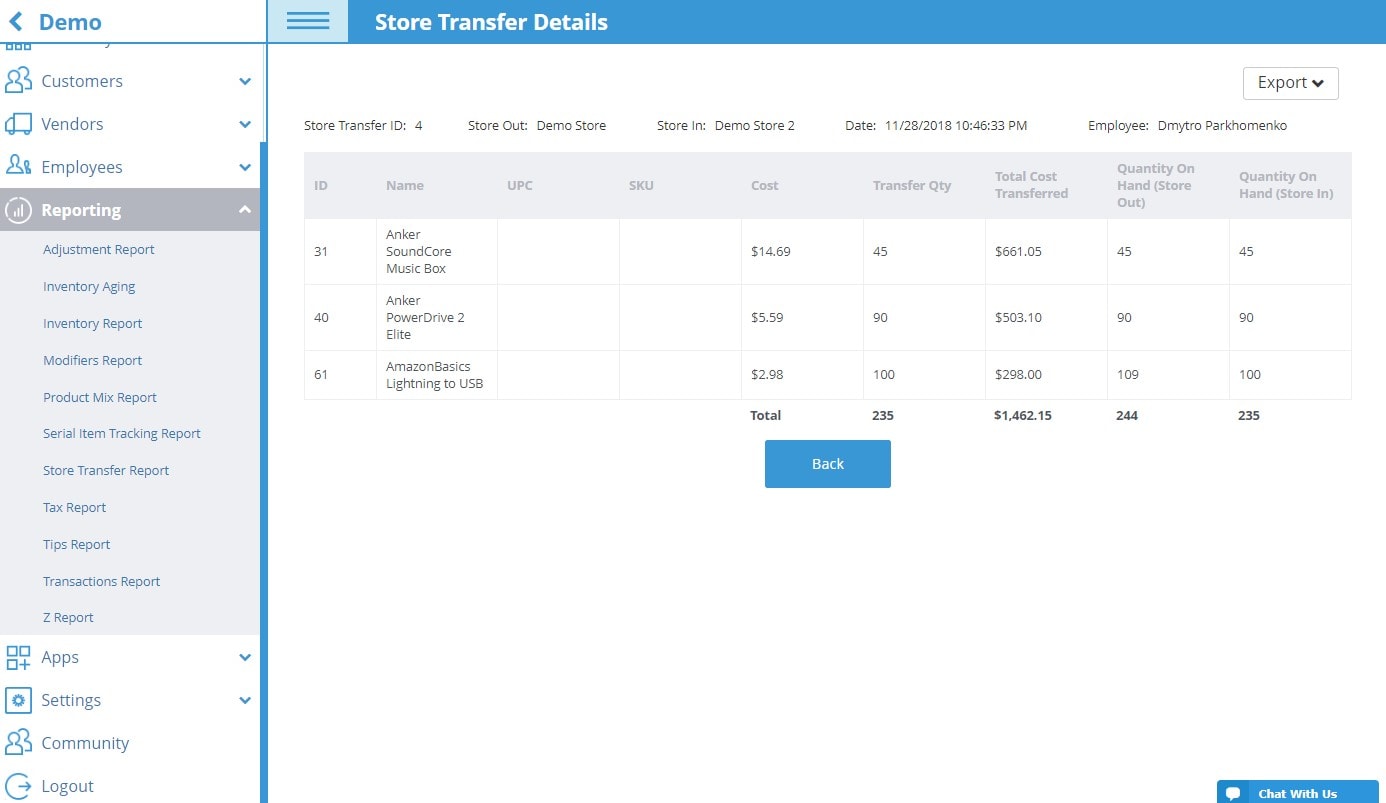
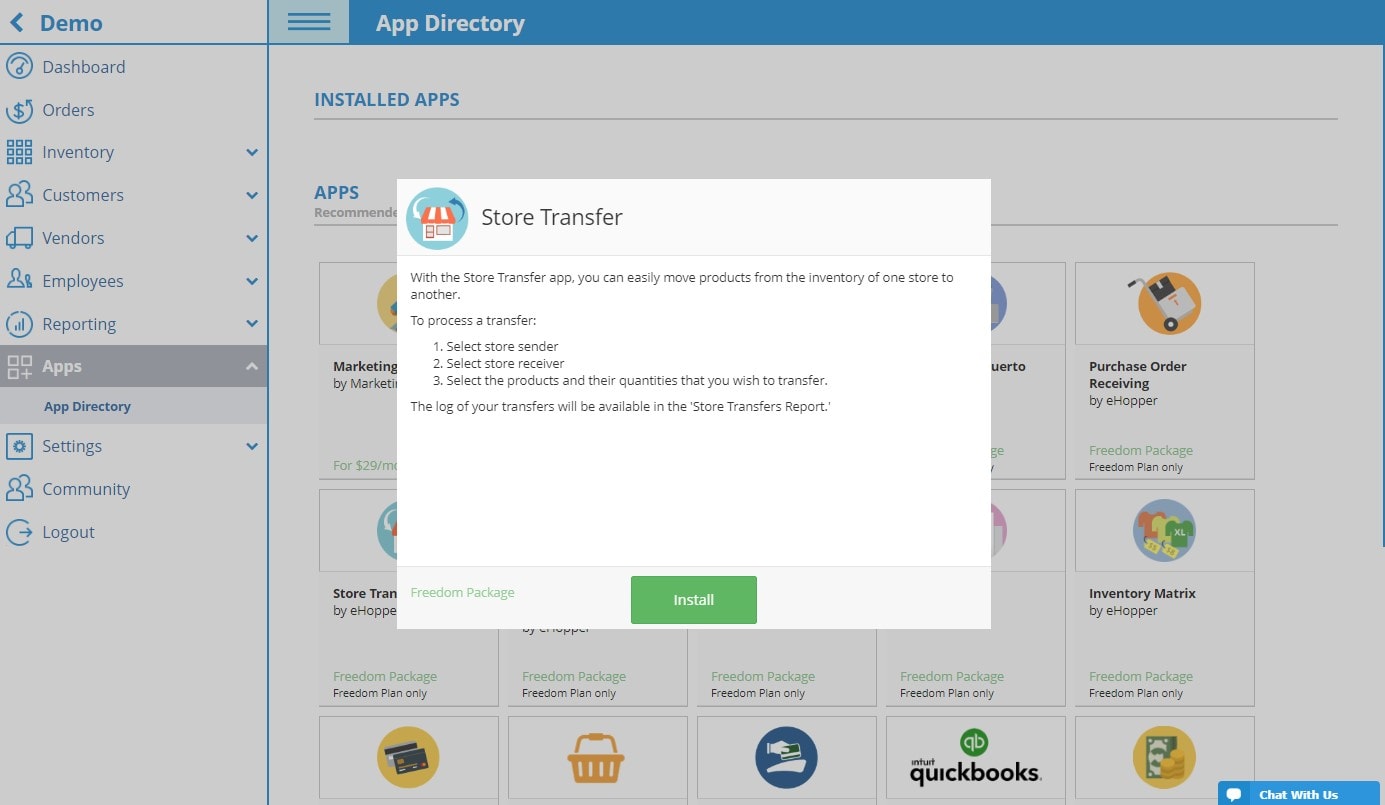
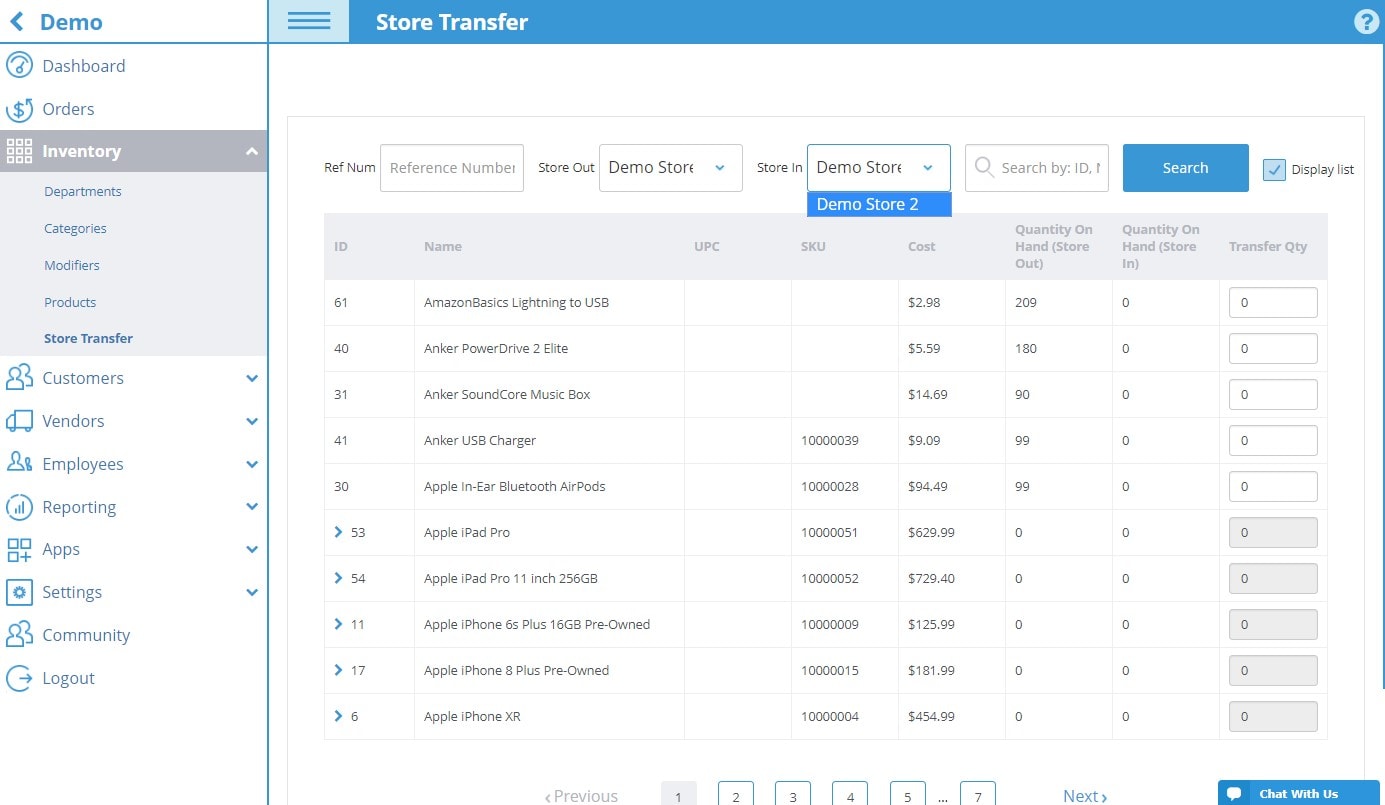
With the Store Transfer app, you can easily move products from the inventory of one store to another.

To process a transfer:

  1. Select store sender
  2. Select store receiver
  3. Select the products and their quantities that you wish to transfer.

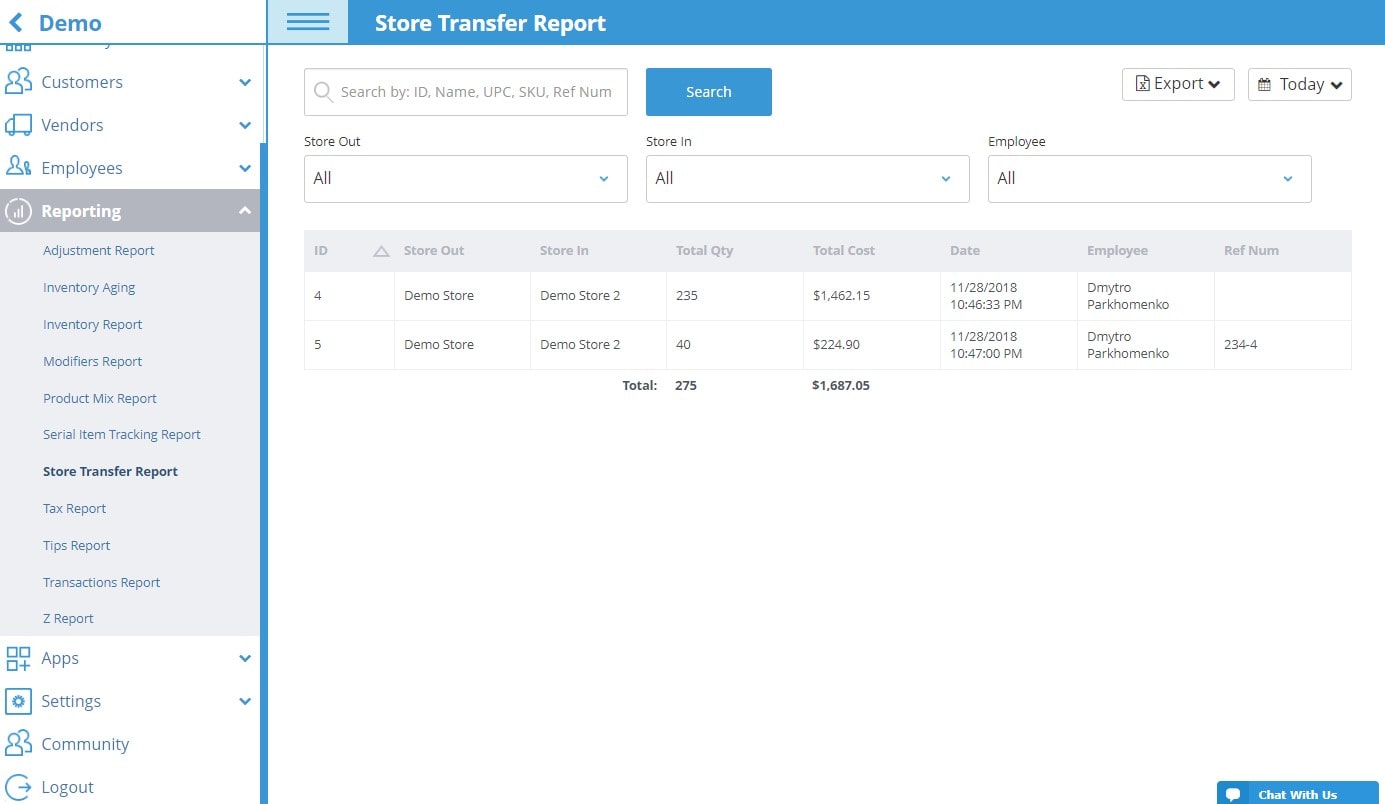
The log of your transfers will be available in the ‘Store Transfers Report.’

Related products

  • quickbooks-online-app

    Quickbooks – accounting services online

    Read more Show Details
  • Inventory Matrix

    Inventory Matrix App

    Read more Show Details
  • Barcode Labels

    Barcode Labels App

    Read more Show Details
  • Credit/Debit POS Integration

    Credit/Debit POS Integration App

    Read more Show Details

eHopper POS

  • Investor Relations
  • eHopper POS Features
  • Pricing
  • All-in-One POS
  • POYNT
  • Mobile POS
  • Order Integrations
  • Free POS
  • POS for QuickBooks
  • eHopper POS Reviews
  • Software Punto De Venta
  • eHopper ERP
  • Affordable POS System
  • Best POS System
  • POS Cost Calculator
  • Free POS Offer
  • Ehopper POS Deal

Info

  • Payments
  • Free Online Ordering System
  • Free Kitchen Display System
  • Loyalty Program
  • Free eCommerce
  • POS Apps
  • Marketplace
  • Small Business Apps & Resources
  • Partnership
  • Affiliate Program
  • Blog
  • About Us
  • POS System Guide
  • Digital Signage
  • Self Service Kiosk
  • POS ROI Calculator
  • Payment Processing
  • eHopper Leasing
  • WordPress Hosting
  • Maximize Profit

POS Solutions

  • Best Restaurant POS
  • Retail POS
  • Free Food Truck POS
  • Quick Service Restaurant POS
  • Bakery POS
  • Bar POS
  • Coffee Shop POS
  • Liquor Store POS
  • Vape Shop POS
  • Salon POS
  • Barber Shop POS
  • Small Business POS
  • More POS solutions…

Support

  • Getting Started
  • Video Support
  • Knowledge Base
  • SMB Coronavirus Resources
  • Contact Us
  • eHopper POS VR Tour

Latest Blog Posts

  • Ehopper Announces New Free POS Program That Now Includes Free POS Hardware
  • How to Set Up eHopper POS for Food Trucks [Step-by-Step Guide]
  • How Free POS Dual Pricing Can Offset Card Fees and Boost Profit for Small Businesses
  • 10 Tips to Double Your Profits During Black Friday and Cyber Monday
30 Broad Street, Floor 22, New York, NY 10004 || 212–651–8911
  • Youtube
  • Facebook
  • Gplus
  • Linkedin
  • Twitter
  • Hardware Return Policy
  • Privacy Policy
  • Terms of Use
  • Accessibility
  • Code of Conduct
Credit/Debit POS Integration App Credit/Debit POS Integration purchase order receiving Purchase Order Receiving App
Scroll to top