eHopper
  • Free POS
  • Free Processing
  • eCommerce
    • eCommerce
    • Online Ordering for Restaurants
  • Features
    • All Features
    • Point of Sale
    • Self Service Kiosk
    • Kitchen Display System
    • Orders
    • Inventory
    • Customers
    • Employees
    • Taxes
    • Surcharges
    • Reporting
    • Digital Signage
  • Pricing
  • Hardware
    • Buy Hardware
    • Landi ECR Terminal
    • All in One POS
    • Windows
    • Android
    • Pax Terminals
    • Valor POS Terminal
  • Support
    • Submit Ticket
    • Virtual Assistant
    • Knowledge Base
    • Getting Started
    • Video Support
    • Contact Us
  • Blog
  • Get Started FREE
  • Menu
  • 0Shopping Cart
You are here: Home / Shop / POS Apps / Purchase Order Receiving App
purchase order receiving
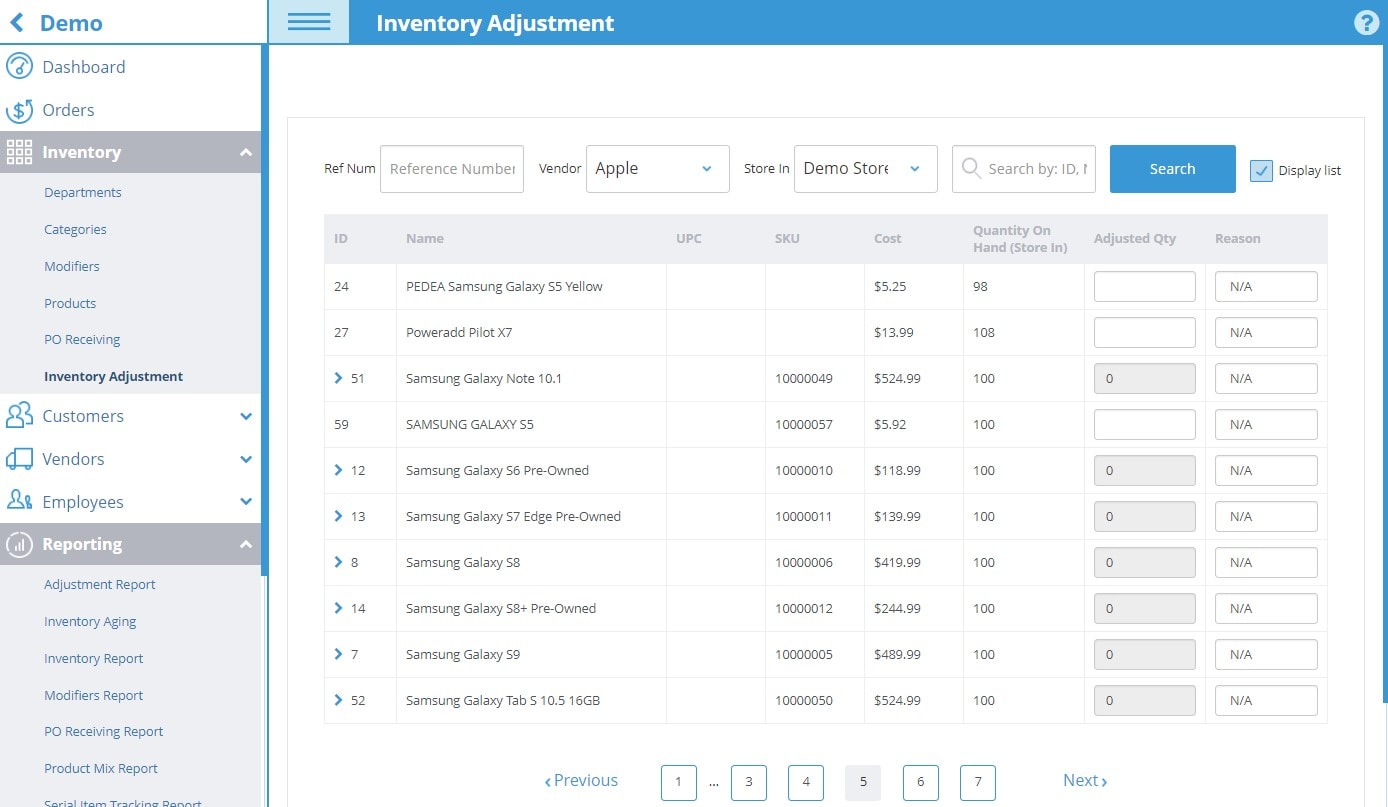
inventory adjustmentPO Receivingpurchase order apppurchase order receiving app

Purchase Order Receiving App

Category: POS Apps
  • Description

Description

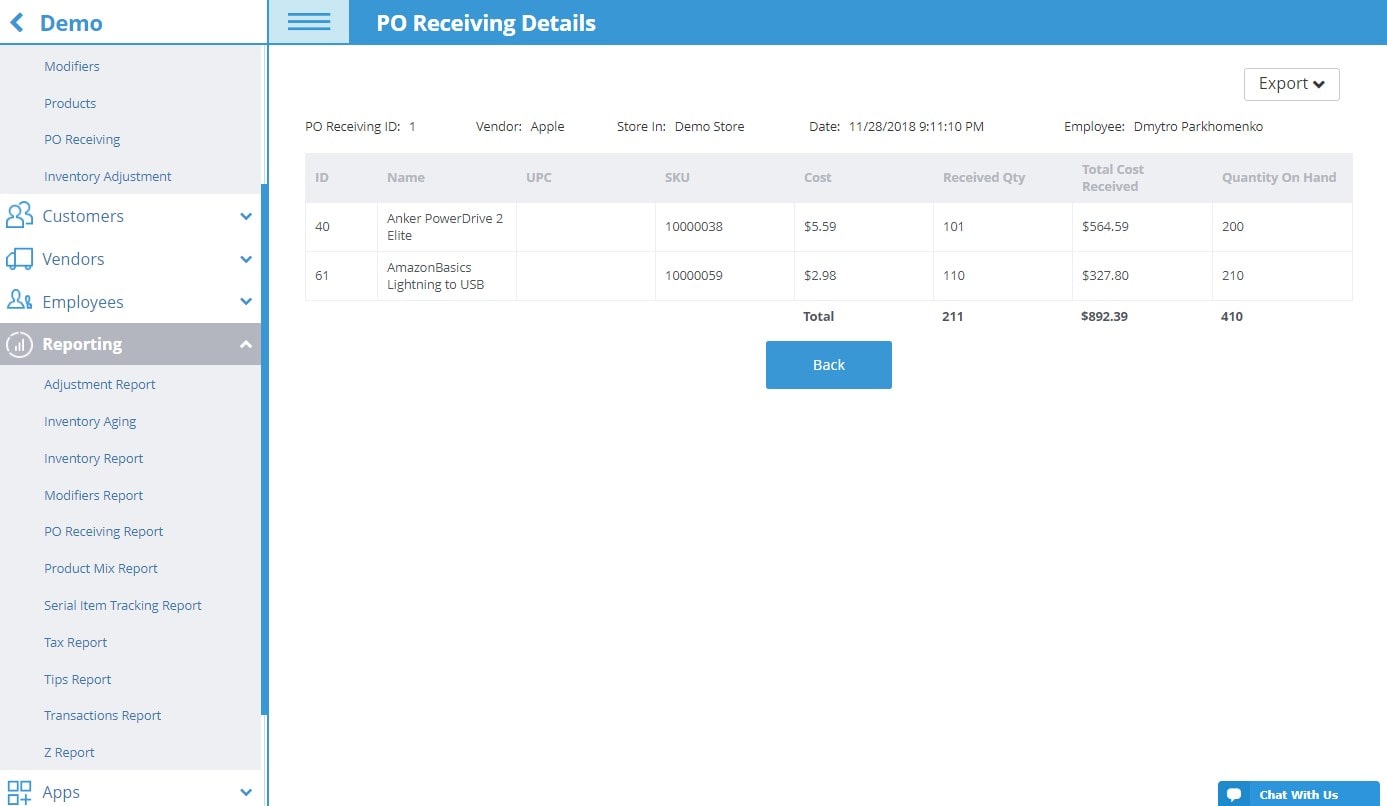
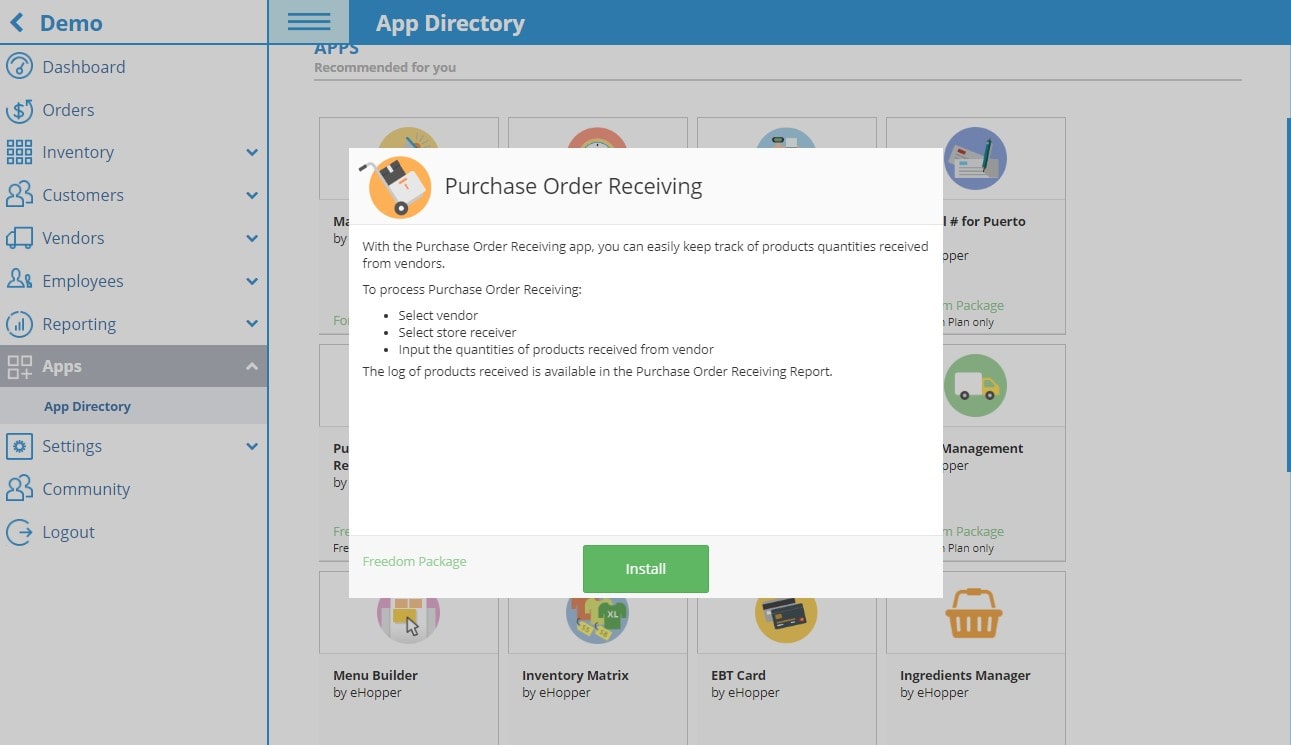
With the Purchase Order Receiving app, you can easily keep track of products quantities received from vendors.

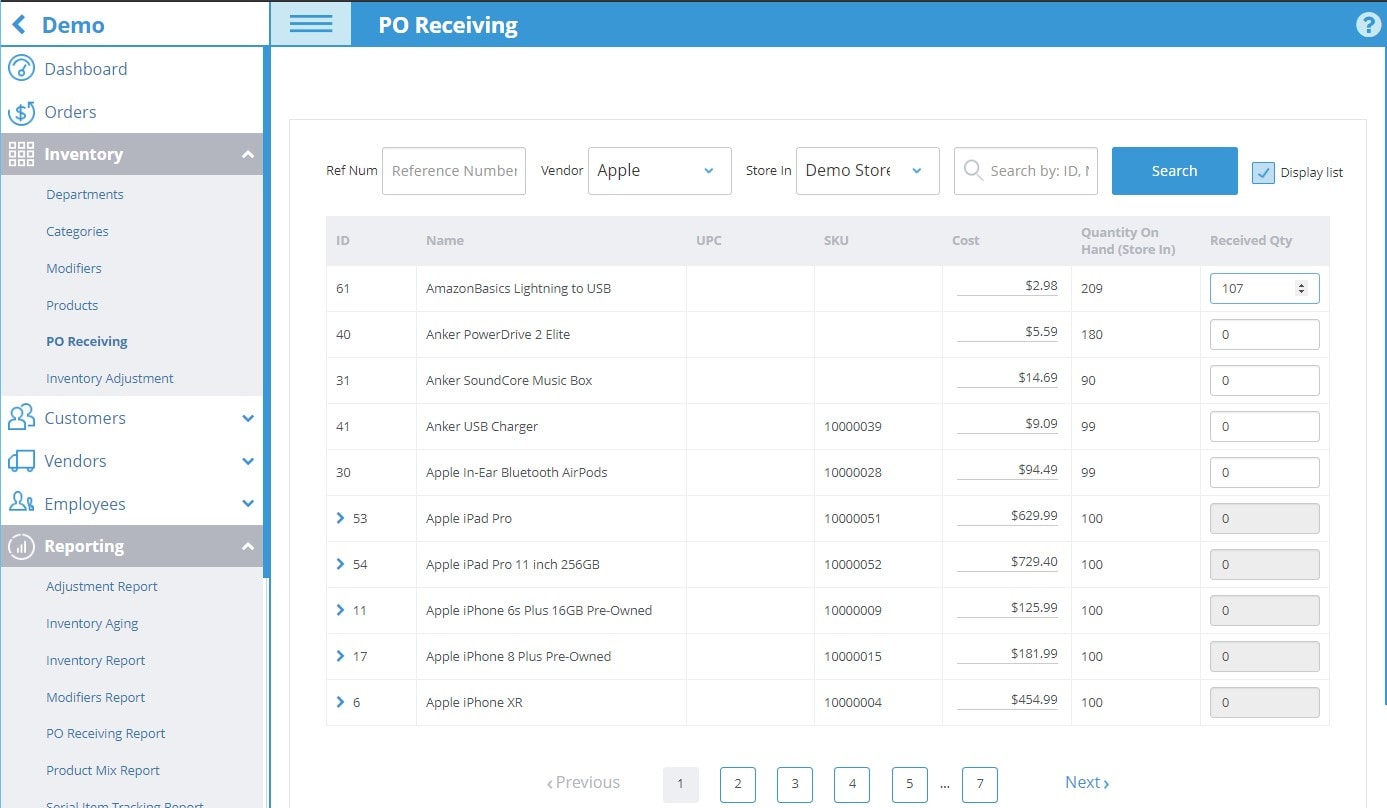
To process Purchase Order Receiving:

  • Select vendor
  • Select store receiver
  • Input the quantities of products received from vendor

The log of products received is available in the Purchase Order Receiving Report.

Related products

  • Denomination Count

    Denomination Count App

    Read more Show Details
  • clock in and out app

    Clock In / Clock Out App

    Read more Show Details
  • ebt app

    EBT Card App

    Read more Show Details
  • store transfer

    Store Transfer App

    Read more Show Details

eHopper POS

  • Investor Relations
  • eHopper POS Features
  • Pricing
  • All-in-One POS
  • POYNT
  • Mobile POS
  • Order Integrations
  • Free POS
  • POS for QuickBooks
  • eHopper POS Reviews
  • Software Punto De Venta
  • eHopper ERP
  • Affordable POS System
  • Best POS System
  • POS Cost Calculator
  • Free POS Offer
  • Ehopper POS Deal

Info

  • Payments
  • Free Online Ordering System
  • Free Kitchen Display System
  • Loyalty Program
  • Free eCommerce
  • POS Apps
  • Marketplace
  • Small Business Apps & Resources
  • Partnership
  • Affiliate Program
  • Blog
  • About Us
  • POS System Guide
  • Digital Signage
  • Self Service Kiosk
  • POS ROI Calculator
  • Payment Processing
  • eHopper Leasing
  • WordPress Hosting
  • Maximize Profit

POS Solutions

  • Best Restaurant POS
  • Retail POS
  • Free Food Truck POS
  • Quick Service Restaurant POS
  • Bakery POS
  • Bar POS
  • Coffee Shop POS
  • Liquor Store POS
  • Vape Shop POS
  • Salon POS
  • Barber Shop POS
  • Small Business POS
  • More POS solutions…

Support

  • Getting Started
  • Video Support
  • Knowledge Base
  • SMB Coronavirus Resources
  • Contact Us
  • eHopper POS VR Tour

Latest Blog Posts

  • Ehopper Announces New Free POS Program That Now Includes Free POS Hardware
  • How to Set Up eHopper POS for Food Trucks [Step-by-Step Guide]
  • How Free POS Dual Pricing Can Offset Card Fees and Boost Profit for Small Businesses
  • 10 Tips to Double Your Profits During Black Friday and Cyber Monday
30 Broad Street, Floor 22, New York, NY 10004 || 212–651–8911
  • Youtube
  • Facebook
  • Gplus
  • Linkedin
  • Twitter
  • Hardware Return Policy
  • Privacy Policy
  • Terms of Use
  • Accessibility
  • Code of Conduct
Store Transfer App store transfer Merchant Fee Merchant Fee and Cash Discount Programs
Scroll to top